Dashboard
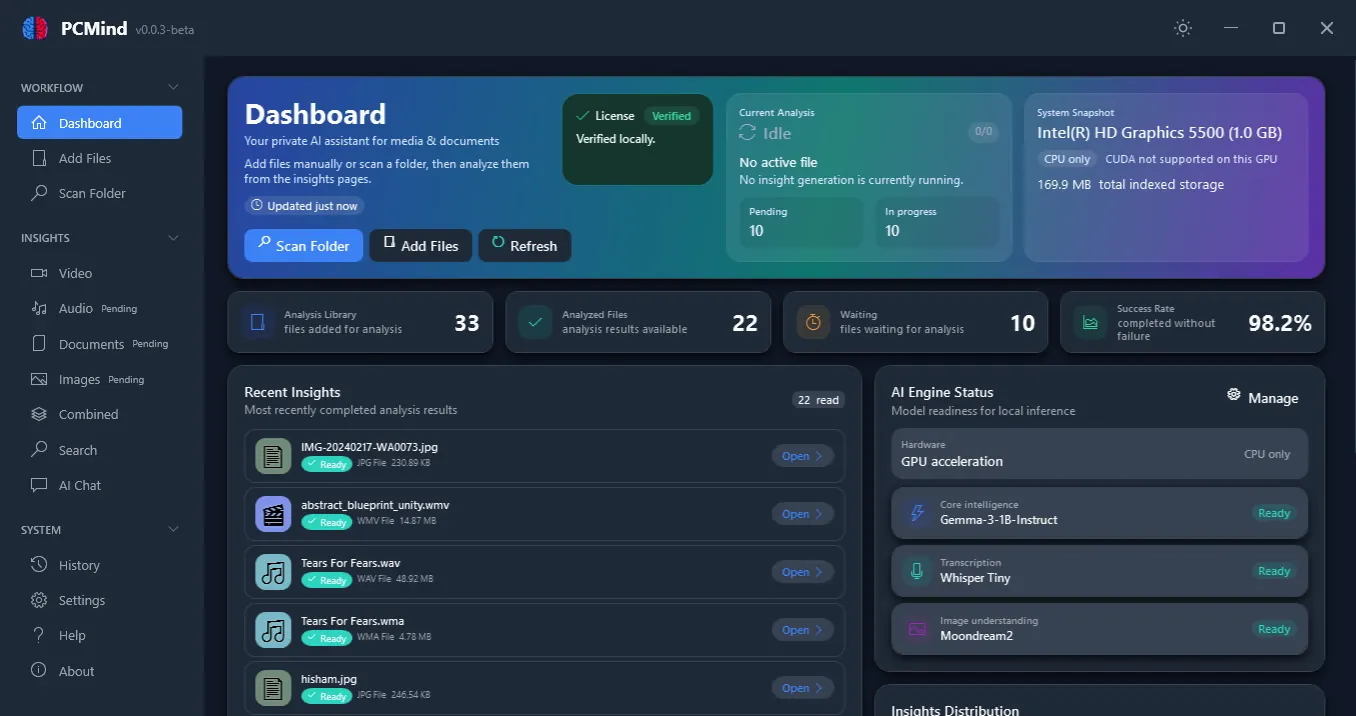
Library, queue, and model status in one view.
Recent insights, processing progress, and AI readiness — visible as soon as you open the app.
- Recent insights and processing metrics
- Hardware and model readiness visible up front
100% local · 100% private · No cloud required
PCMind uses on-device AI to process documents, recordings, videos, and images into summaries, transcripts, insights, and grounded answers. Your data stays on your machine.
Windows 10/11 · Works fully offline after model download · GPU acceleration optional · One-time purchase at launch — no subscription
Representative views from the dashboard, insights workflow, and model settings.
Dashboard
Recent insights, processing progress, and AI readiness — visible as soon as you open the app.
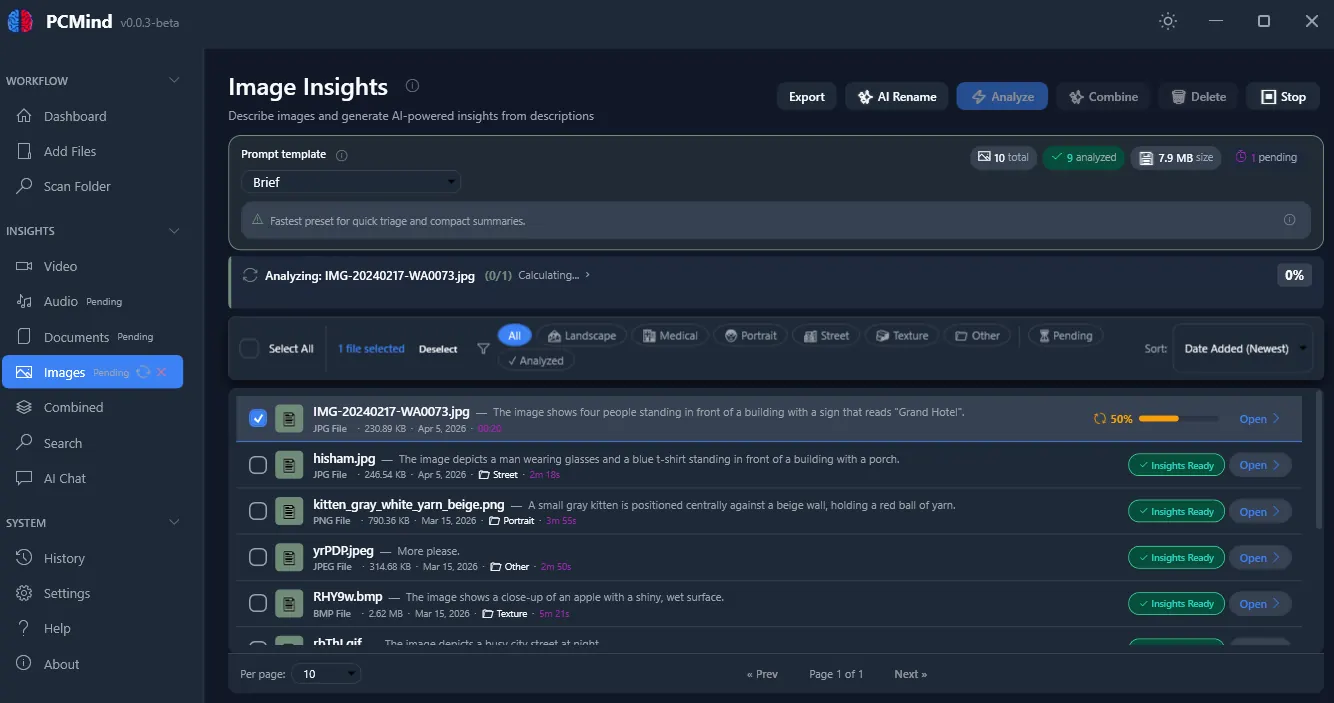
Insights workflow
This view shows the image insights page, but the same search, combine, export, and rename workflow also applies to documents, audio, and video.
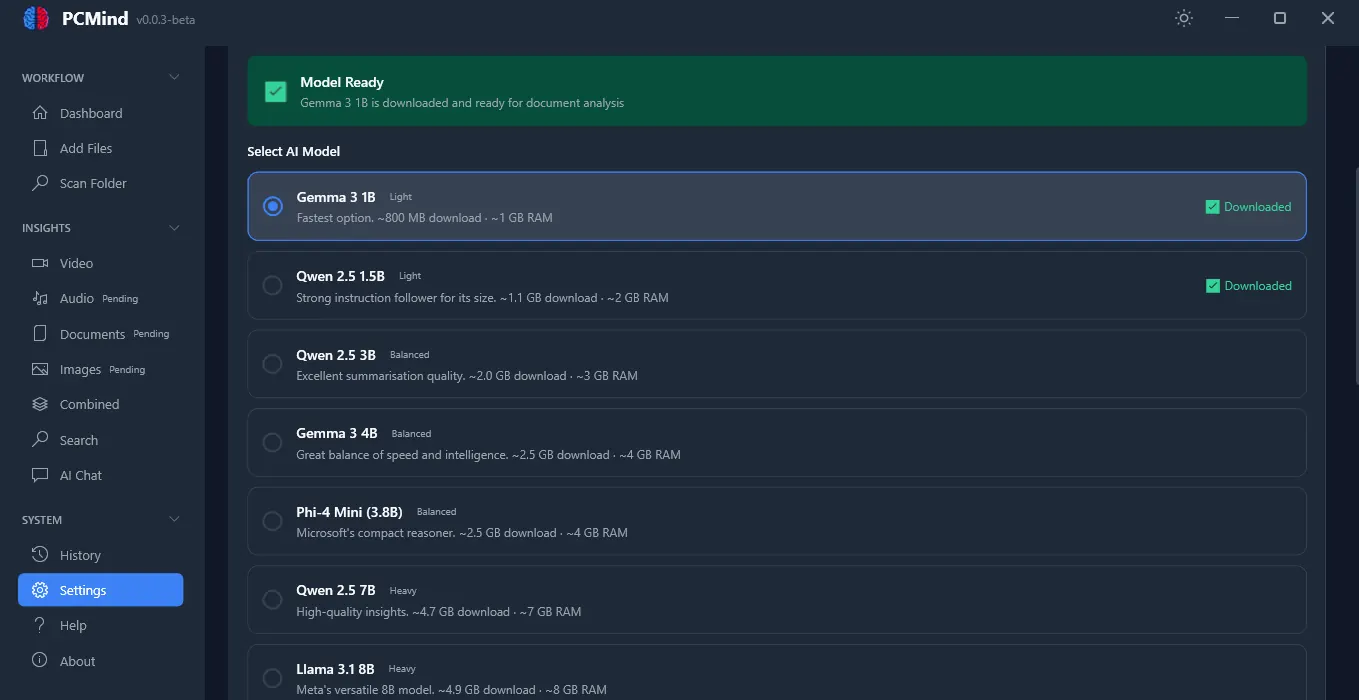
Model control
Multiple model tiers for speed, memory, and quality — download what you need in Settings.
Local processing, structured results, and no cloud dependency.
All AI processing runs on your Windows PC. Documents, audio, video, and images stay on your device with no cloud upload required.
Summaries, transcripts, tags, and structured insights you can search, revisit, and export.
Add individual files or scan folders recursively to build focused insight collections faster.
Generate summaries, key takeaways, tags, transcripts, and categories from local AI processing.
Search your processed content, chat with selected files, and export transcripts or summaries.
Run larger batches with queue tracking, status updates, retries, and optional GPU acceleration when available.
30 extensions across four content categories.
PDF, DOCX, DOC, TXT, MD, RTF, ODT
MP3, WAV, M4A, FLAC, AAC, OGG, WMA
MP4, MOV, AVI, MKV, WMV, FLV, WEBM
PNG, JPG, JPEG, BMP, GIF, TIFF, TIF, WEBP, SVG
From install to insights in five simple steps.
Download and run the installer. Setup takes about a minute.
Choose your local text, Whisper, and image models in Settings based on speed, quality, and hardware.
Scan folders or add documents, audio, video, and images into focused insight collections.
PCMind transcribes spoken content, analyzes files locally, and builds summaries, tags, and insights.
Reuse your processed library through search, grounded chat, combined insights, and export to TXT or PDF.
What is included in the desktop app today.
Local language, speech, and vision models — no cloud APIs.
Multiple model tiers for speed vs. quality. Switch anytime in Settings.
Local speech-to-text with multiple Whisper sizes. Transcripts feed into summaries, search, and export.
Local vision models for image analysis and optional video assist. FFmpeg handles media extraction.